
DAS Board · In action
Evidence, support plans and casework.
DAS Board keeps permitted pupils, current evidence and support work connected without pretending that a dashboard can make a professional judgement.
Real product screenshots · demonstration school records. Choose a workflow, move through its screens and explore the gold spots.
01 · Find pupil support
Find the pupil. Put useful support in reach.
Start with assigned work, find the right pupil and read their current classroom support.
Start with assigned pupils. Today brings assigned pupils and current work together.
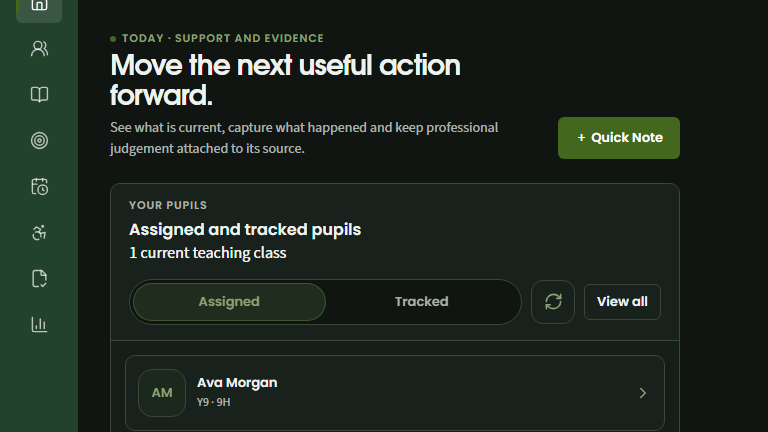
Assigned and tracked pupils stay distinct in your working view.
Capture a useful observation while the pupil context is in reach.
Switch between assigned pupils and your tracked shortcuts.
Find the right pupil. Confirm the pupil’s year and form within your permitted directory.
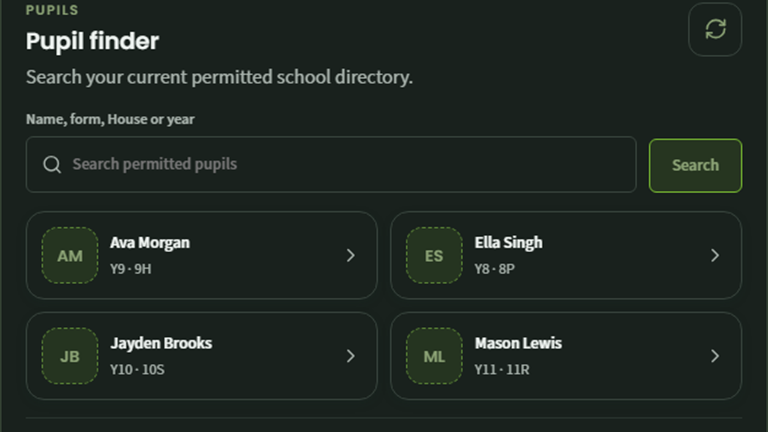
Search within your permitted school directory.
Year and form help you choose the correct pupil.
Refresh the current permitted pupil results.
Read the executive summary. The student dossier puts current classroom strategies, what to avoid and the pupil’s own voice together.
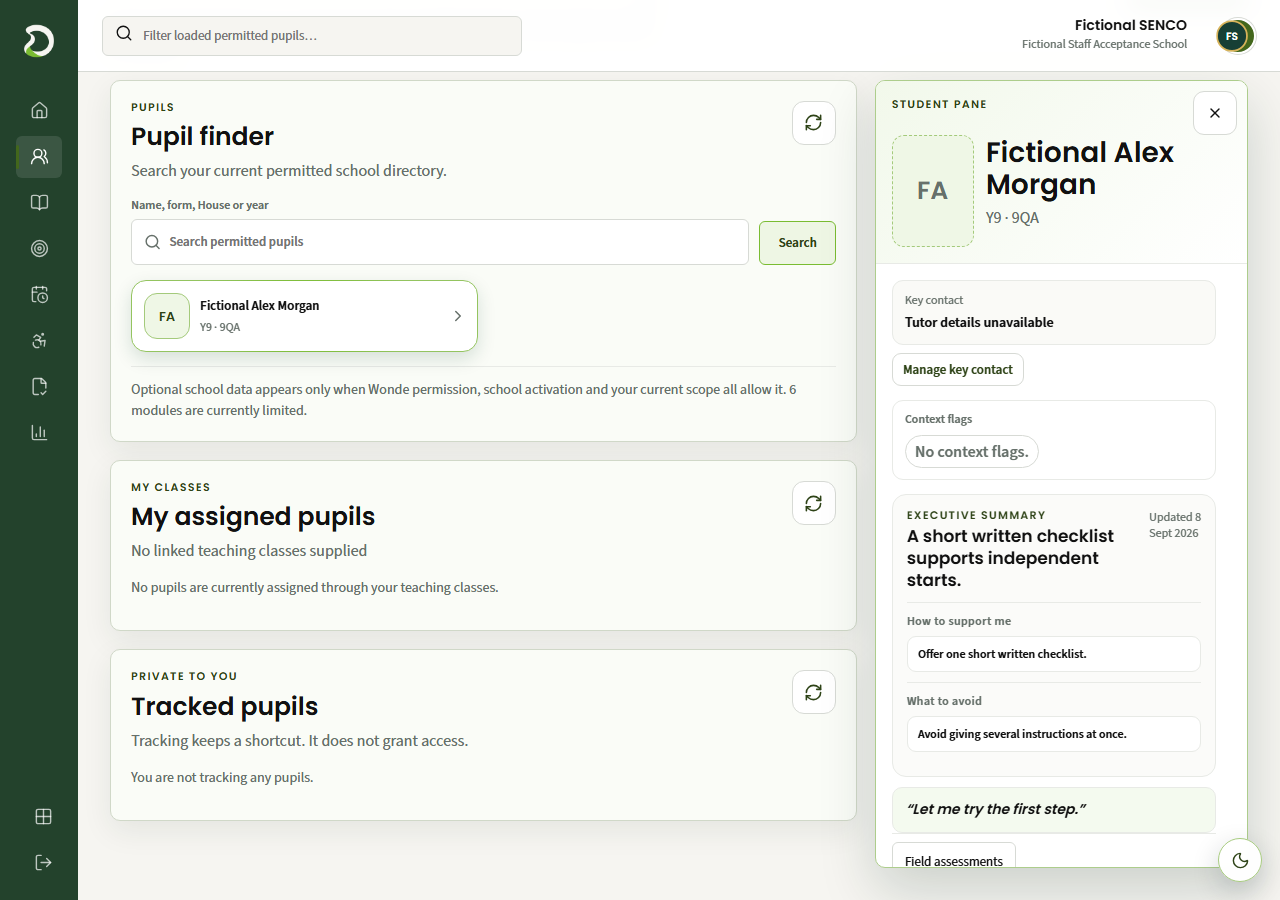
The foremost field assessment puts the pupil’s current classroom support in reach.
Read what helps and what to avoid together.
Keep the pupil’s own account alongside the professional advice.
Features in this workflow
- Assigned pupils
- Scoped pupil search
- Student dossier
- Executive summary
- Classroom strategies
- Pupil voice
02 · Collect classroom evidence
Turn a classroom observation into usable evidence.
Record the fact, support and response. Address further questions to colleagues and review what comes back.
Review the observation. Ava’s Science observation separates what happened, the support used and its observed impact.
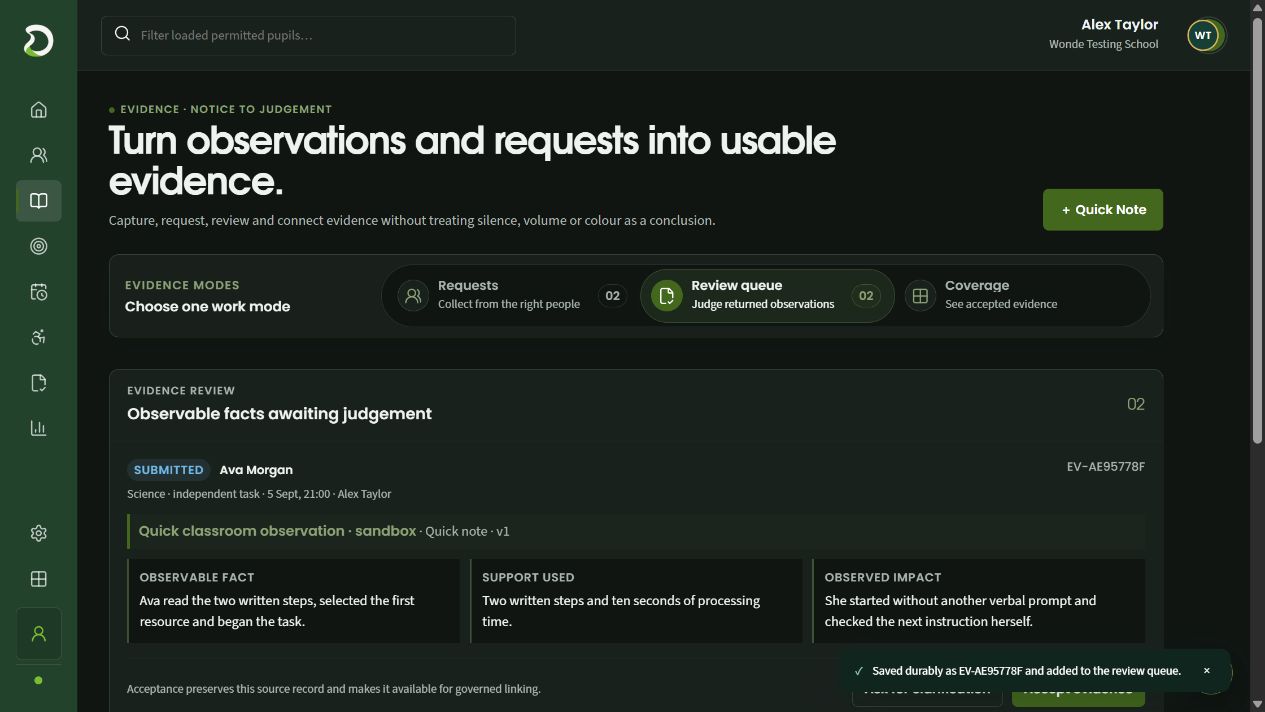
The pupil, classroom context, author and date travel with the record.
Capture what happened separately from the support used.
Record the pupil’s response so a reviewer can judge the source.
Request contributions. A named annual-review request keeps its pupil, deadline and response count together.
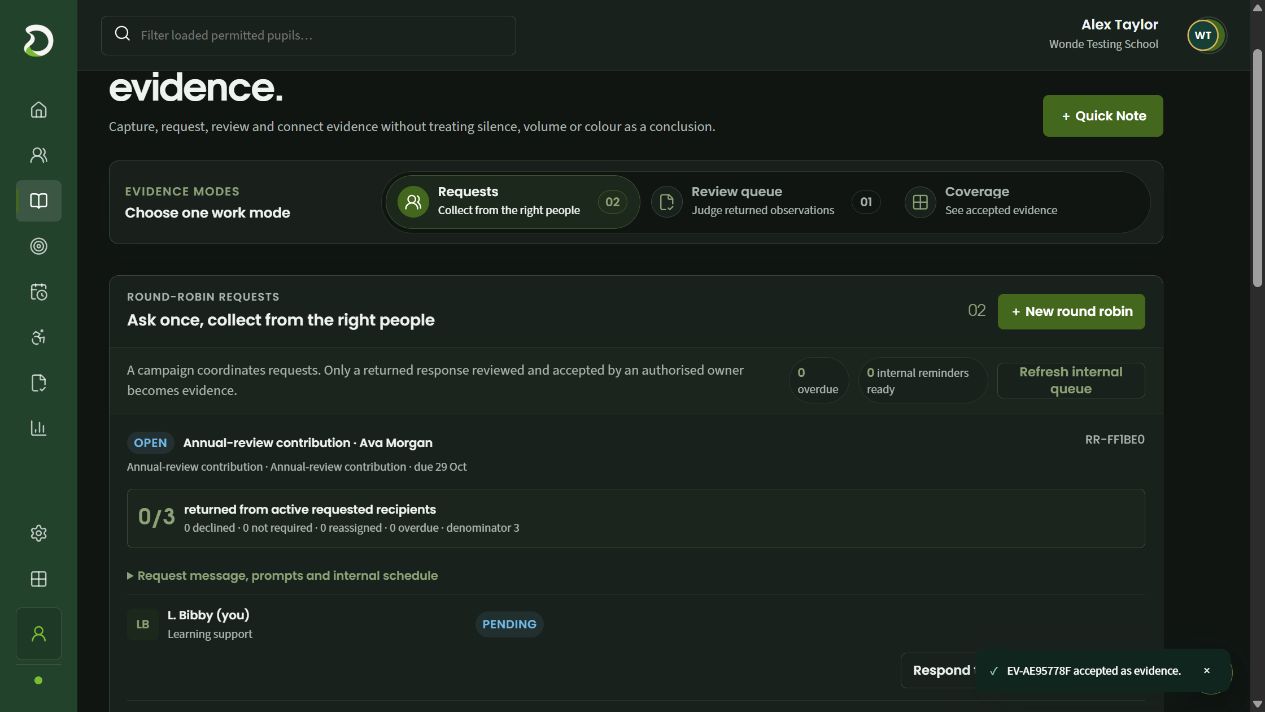
A round robin addresses the contribution to the people who can help.
The request keeps its review purpose, pupil and due date together.
Returned responses are counted against the requested recipients.
Answer the addressed questions. A contributor records strengths, progress, provision and a proposed next action for review.
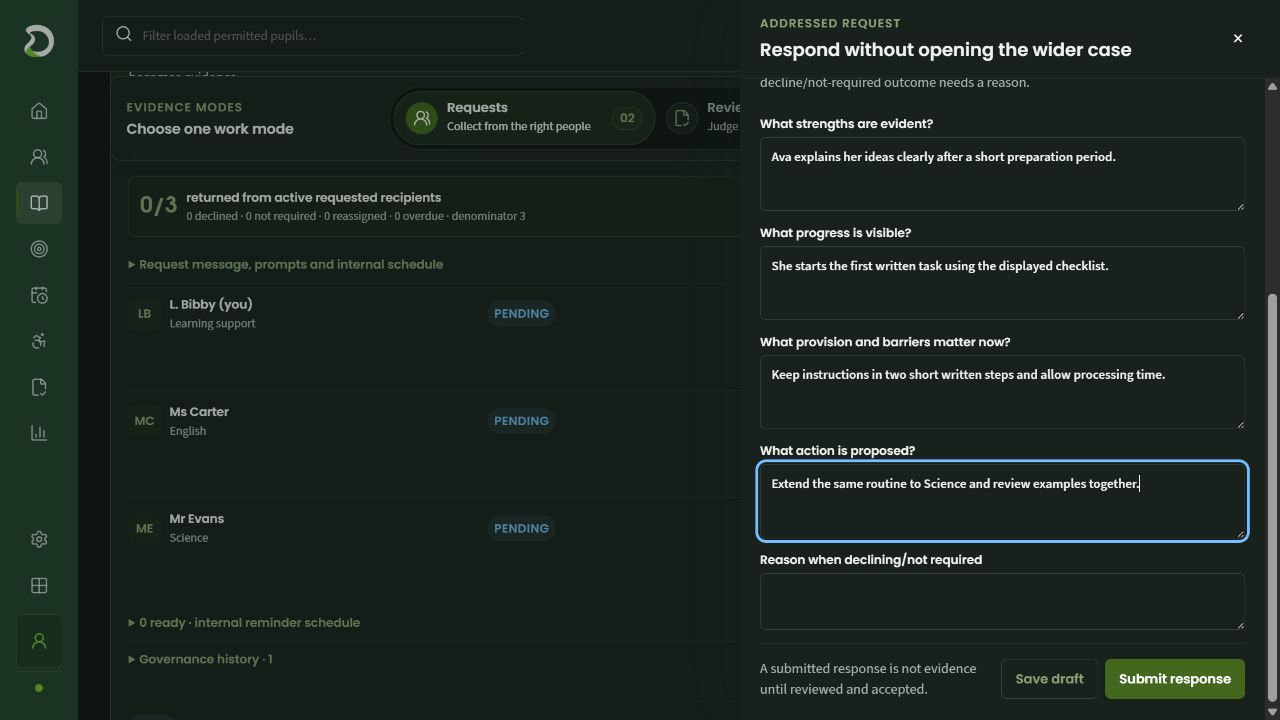
Start with what the pupil can do and what helps them succeed.
Describe the support that matters in this classroom.
A response can suggest a concrete next step for the reviewer.
Features in this workflow
- Quick Note
- Observable facts
- Support and impact
- Round-robin requests
- Addressed response
- Evidence review
03 · Review a support plan
Keep targets, classroom support and review connected.
Follow Ava’s issued support through an item-level review, then choose what should enter the next draft.
Read strategies and targets. Issued targets retain the baseline, intended position and review date beside practical classroom support.
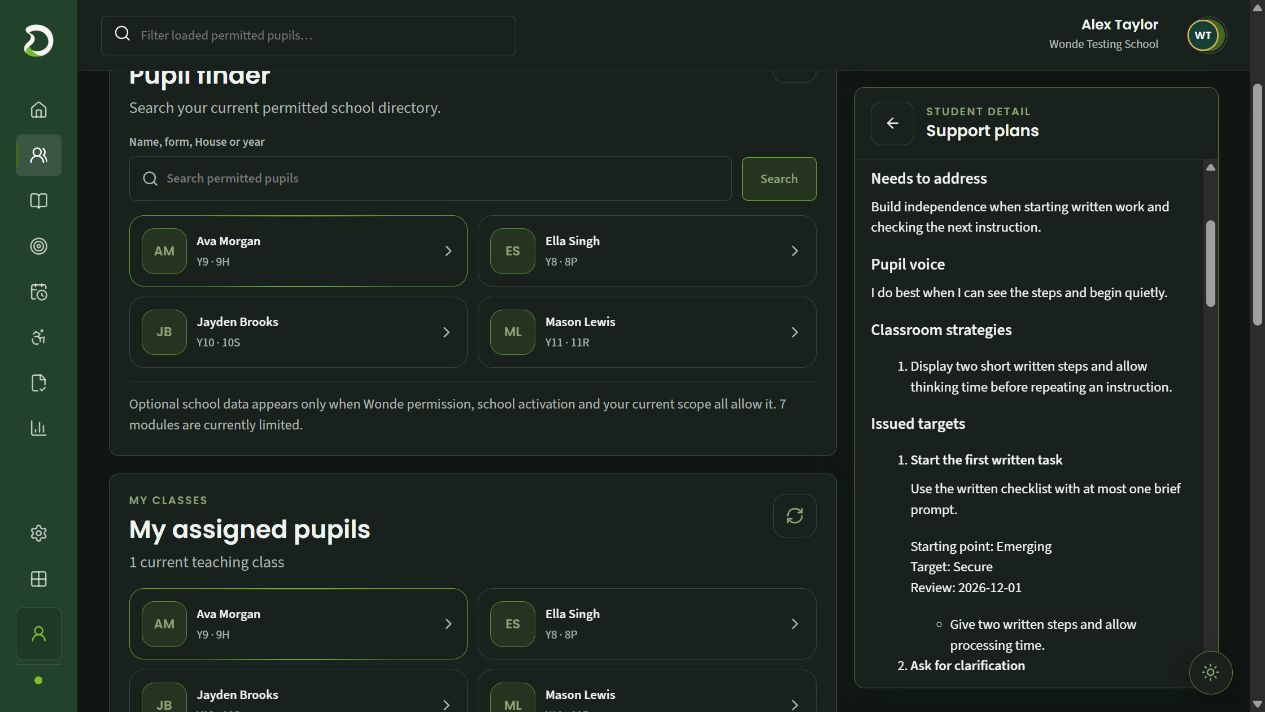
Two written steps and processing time give staff something specific to do.
The intended task is described in observable classroom terms.
The issued target retains its baseline, intended position and review date.
Record the review decision. The completed review explains what helped and identifies the next action.
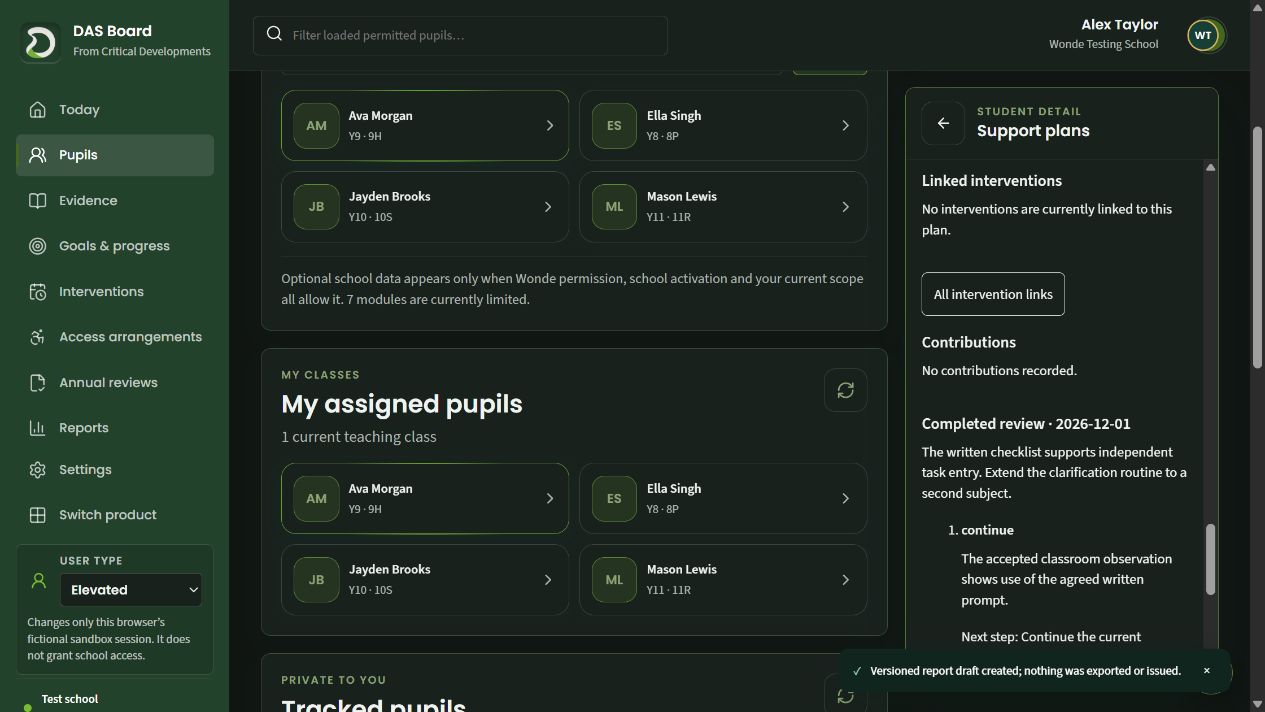
The completed review remains attached to the plan.
Record what helped and where the routine needs to develop.
Each reviewed item receives its own decision and explanation.
Choose the next cycle. Continue selected targets, adapt the clarification target and leave other items out of the new draft.
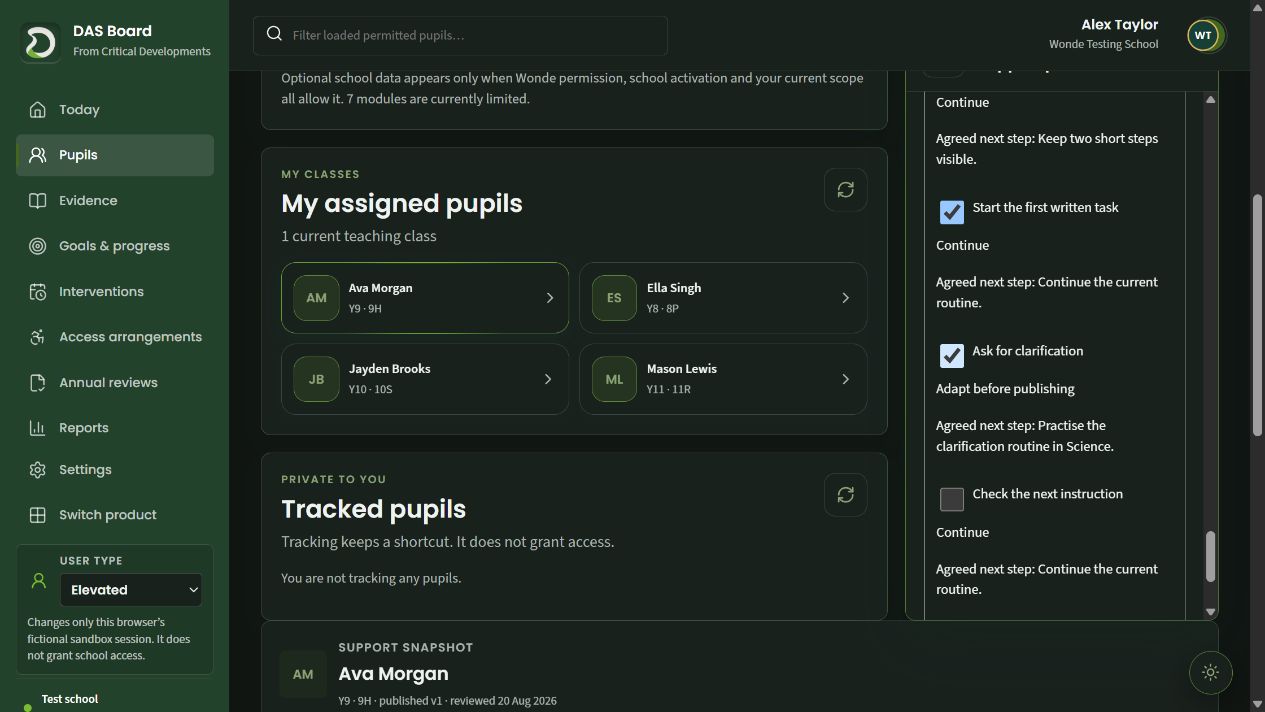
Carrying support forward is a deliberate choice.
The next cycle keeps the review’s instruction to adapt this target.
Unselected items are not automatically copied into the new draft.
Features in this workflow
- Multiple targets
- Classroom strategies
- Issued versions
- Item-level decisions
- Continue or adapt
- Deliberate carry-forward
04 · Run an intervention
Connect a referral to the work staff deliver.
Record the reason and intended outcome for a referral, then use delivery records to see what ran and what still needs reconciliation.
Explain the referral. A structured mentoring referral records the classroom reason and the pupil’s intended outcome.
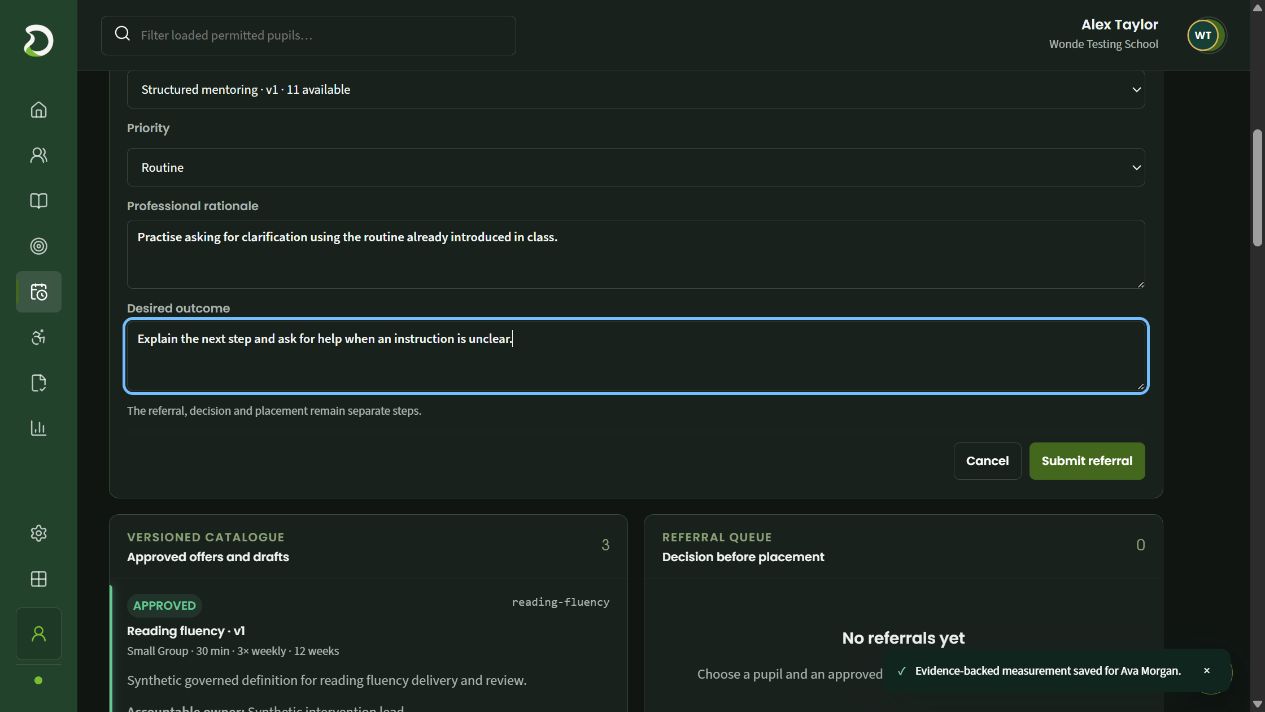
The referral names the intervention version and available capacity.
Explain why this pupil is being referred.
State what the support should help the pupil do.
Read the delivery series. A reading-fluency group illustrates the separate schedule, roster and delivered-session record.
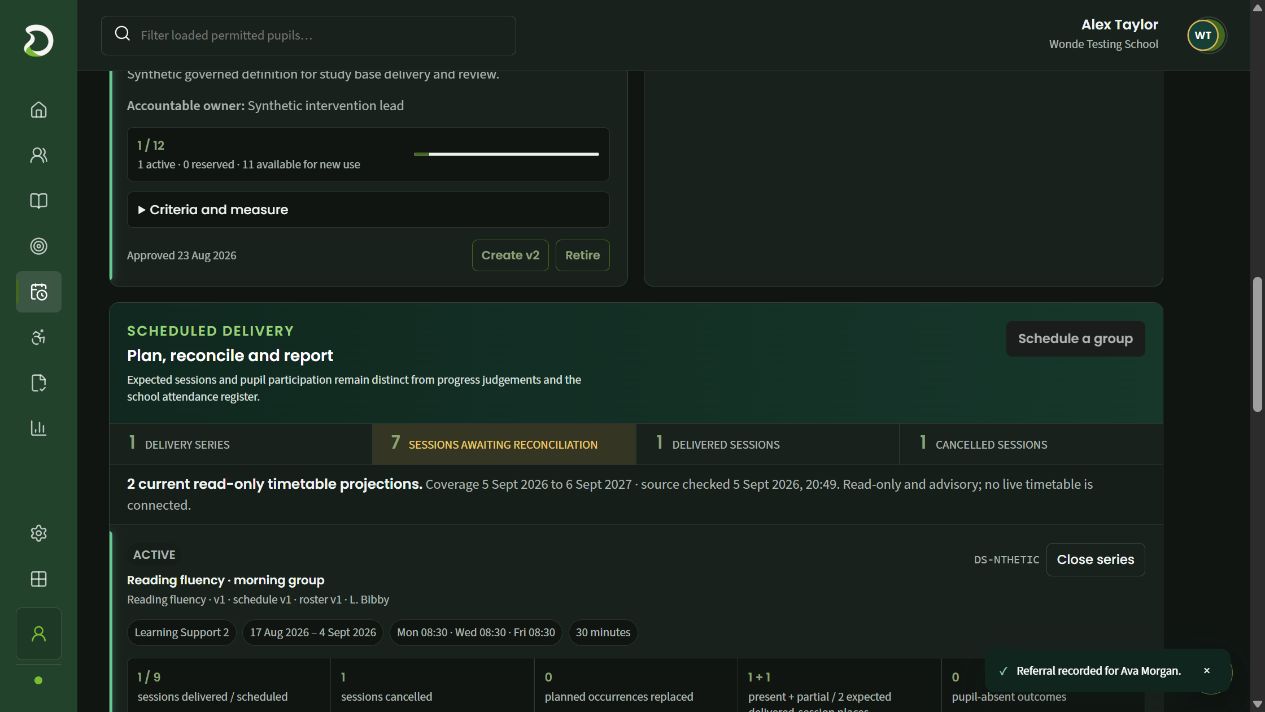
Unreconciled sessions remain visible beside delivered and cancelled counts.
A series connects the approved intervention, schedule and roster.
Staff can read the location, date range and weekly session pattern together.
Features in this workflow
- Approved intervention offer
- Professional rationale
- Intended outcome
- Capacity
- Delivery series
- Session reconciliation
05 · Track meaningful progress
Measure progress against a defined goal.
Choose the permitted cohort, inspect Ava’s starting and intended positions, then record a dated judgement with its classroom context.
Select the working view. Filter placements by intervention, measurement model, review state and accepted evidence.
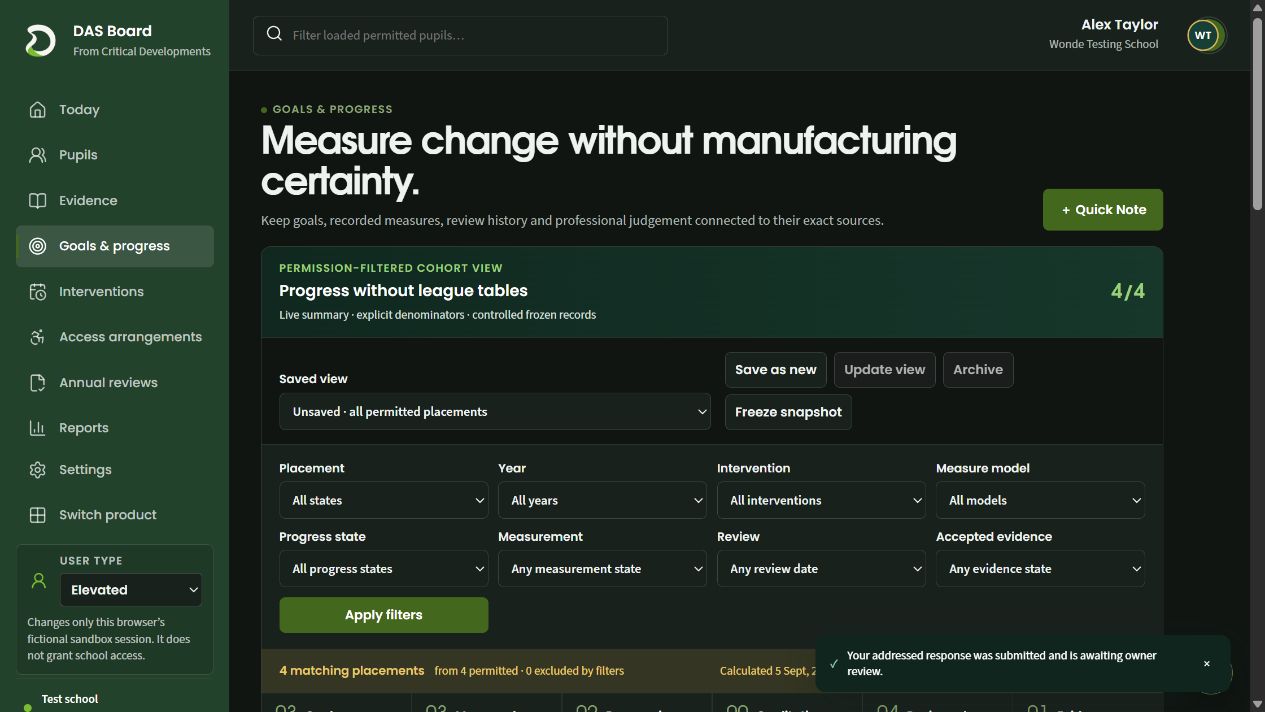
Return to a useful selection of permitted placements.
Retain a dated view for later comparison.
Separate accepted evidence from other measurement and review states.
Read the goal. Ava’s reading-fluency goal shows the starting point, current position and intended outcome.
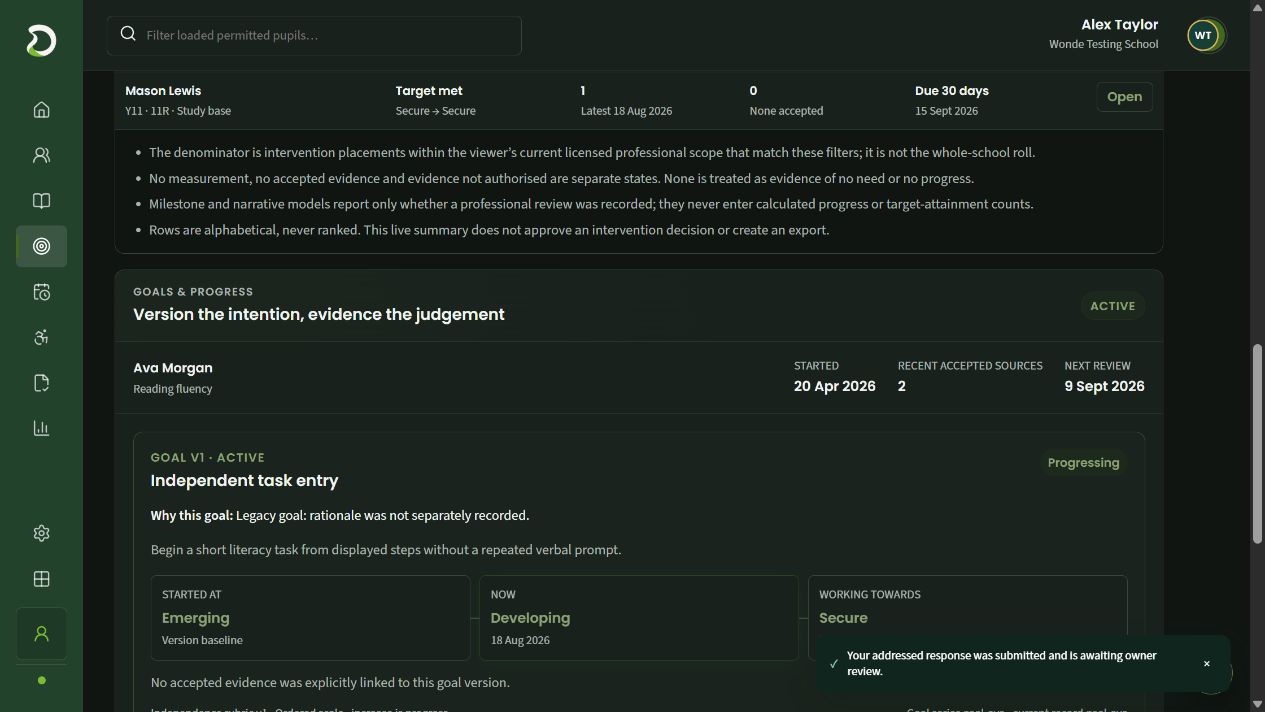
The goal retains its placement and recent accepted-source count.
A concrete task makes the intention easier to discuss.
Read starting, current and intended positions together.
Record the check-in. The new measurement records a judgement, observation method and Science classroom context.
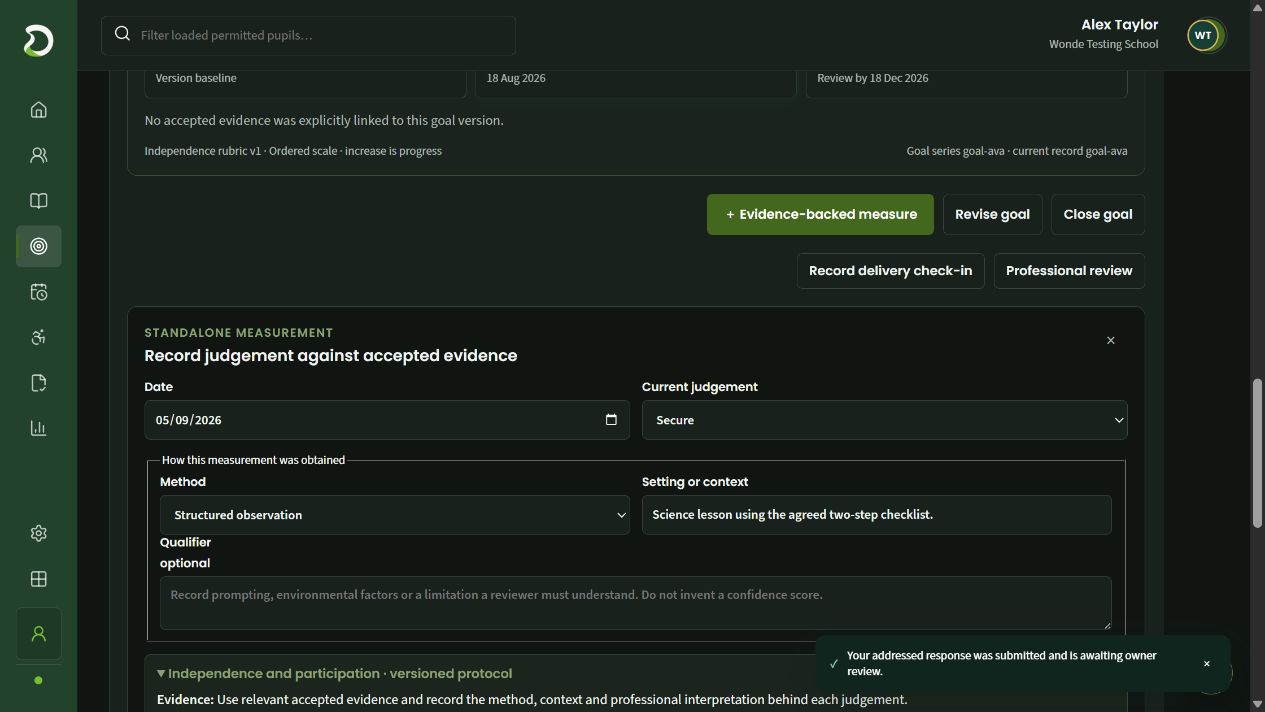
A measurement belongs to a specific observation date.
Choose the position on the agreed measurement model.
Retain how and where the judgement was obtained.
Features in this workflow
- Saved cohort views
- Defined baseline
- Intended outcome
- Dated measures
- Method and context
- Accepted evidence
06 · Prepare access arrangements
Build the evidence behind an access case.
Use the pupil’s milestones and accepted classroom sources to prepare the case for professional review.
Check the case milestones. Scheduled, undated and completed tasks remain distinct in the access timeline.
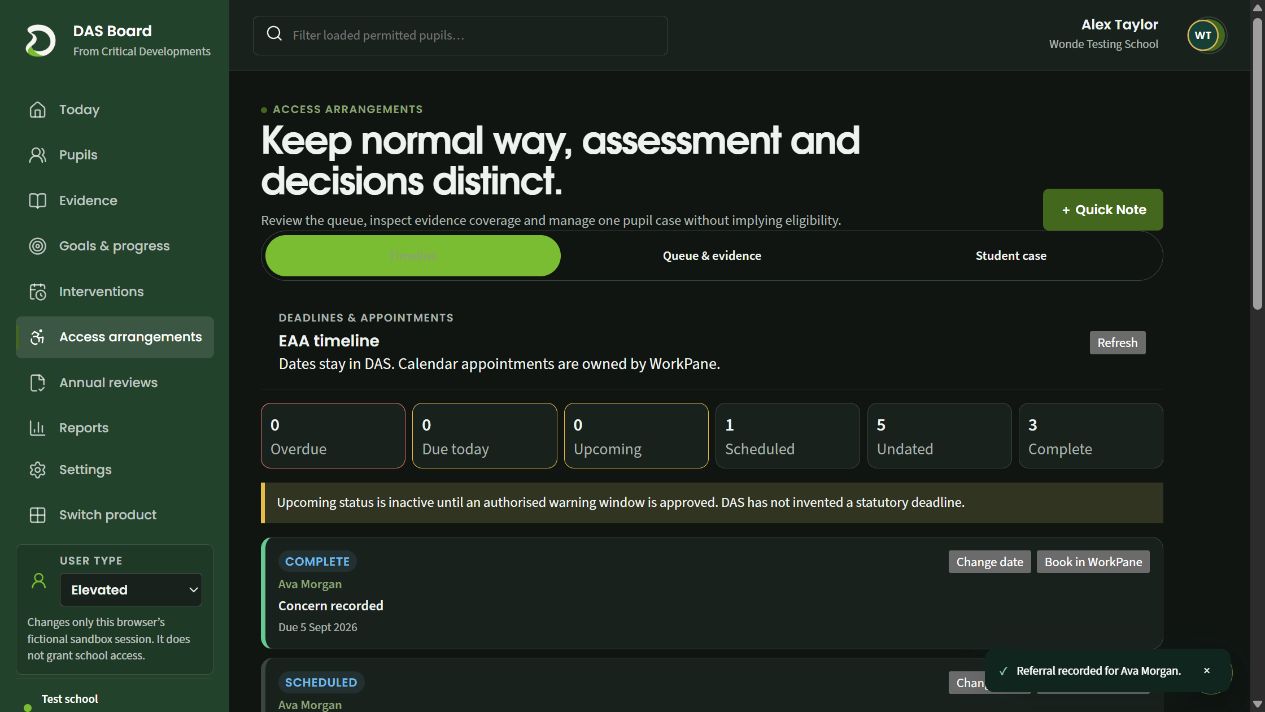
Recorded dates distinguish scheduled work from undated steps.
The timeline retains completed milestones.
A milestone stays attached to the relevant pupil and action.
Link classroom evidence. Explain why Ava’s Science observation matters and record the current normal-way-of-working position.
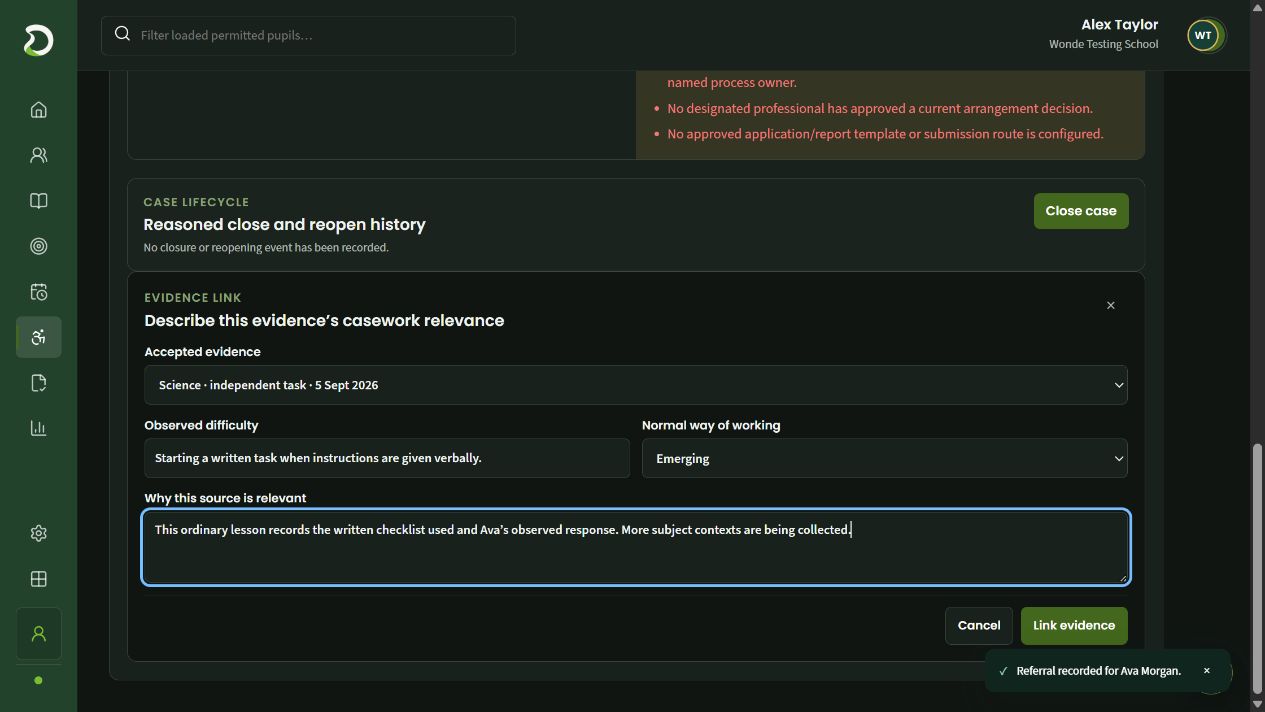
Link the source observation into the case without rewriting it.
Record the current evidence position separately from an arrangement decision.
State why this classroom source matters and what context is still needed.
Features in this workflow
- Pupil case timeline
- Recorded milestones
- Accepted evidence reuse
- Normal way of working
- Source rationale
- Professional review
07 · Prepare an annual review
Bring contributions and the current plan into the review.
Find the next recorded task, then inspect a draft meeting pack with pupil and parent contributions alongside the issued plan.
Find the next review task. Ava’s cycle shows the scheduled evidence-collection and meeting-pack work.
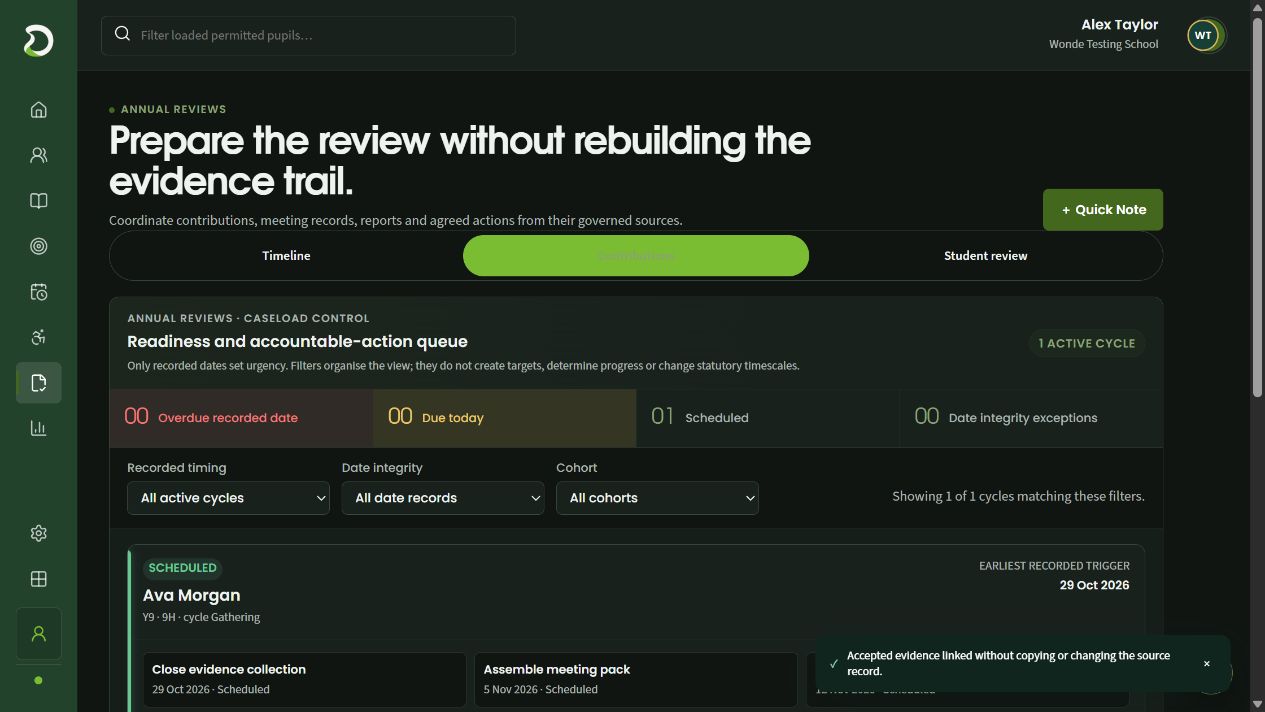
Recorded timing helps staff organise the active cycles.
Focus the review queue on the permitted pupils you need.
Each pupil’s cycle exposes the next dated piece of work.
Inspect the draft pack. The pack identifies its plan version and received contributions. Outstanding checks remain visible before it can progress.
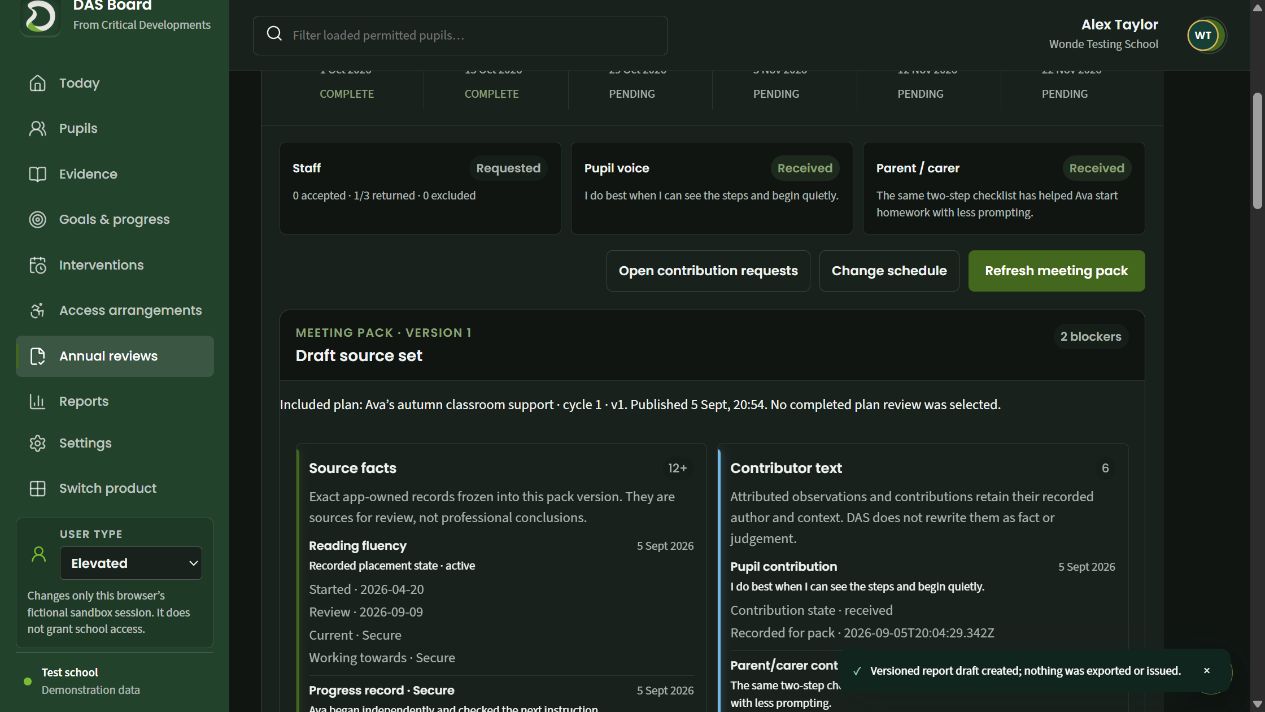
Keep the pupil’s words and receipt state in view.
Retain the contribution and its recorded status.
The draft identifies the issued plan it uses; outstanding checks remain visible.
Features in this workflow
- Review cycles
- Contribution queue
- Recorded dates
- Pupil voice
- Parent contributions
- Draft meeting pack
08 · Prepare a source-linked report
Write the interpretation beside its sources.
Begin with the recorded operational picture, prepare a professional narrative and retain it as an identified draft.
Read the current position. Operational counts show their definitions and denominators within the permitted caseload.
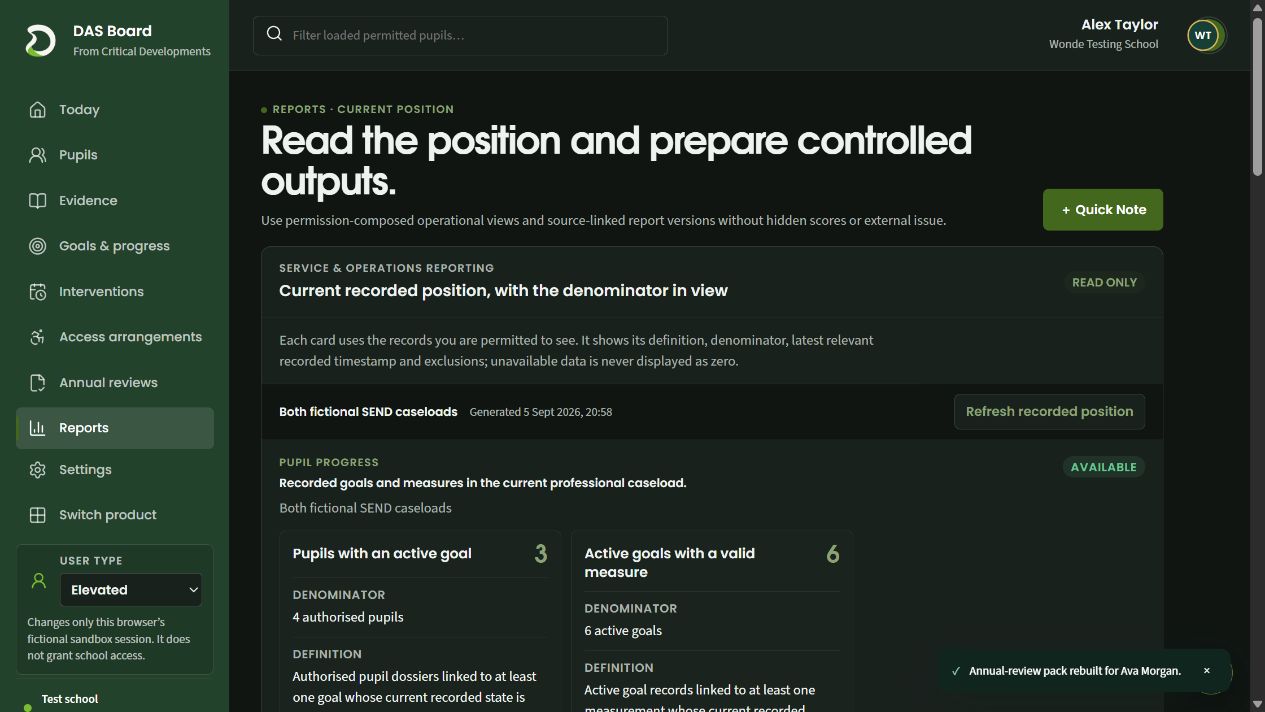
The report explains what each count includes.
Read the number of pupils alongside the permitted-pupil denominator.
Goal counts remain separate from pupil counts.
Write the draft narrative. Keep the source context, professional conclusion and proposed actions distinct.
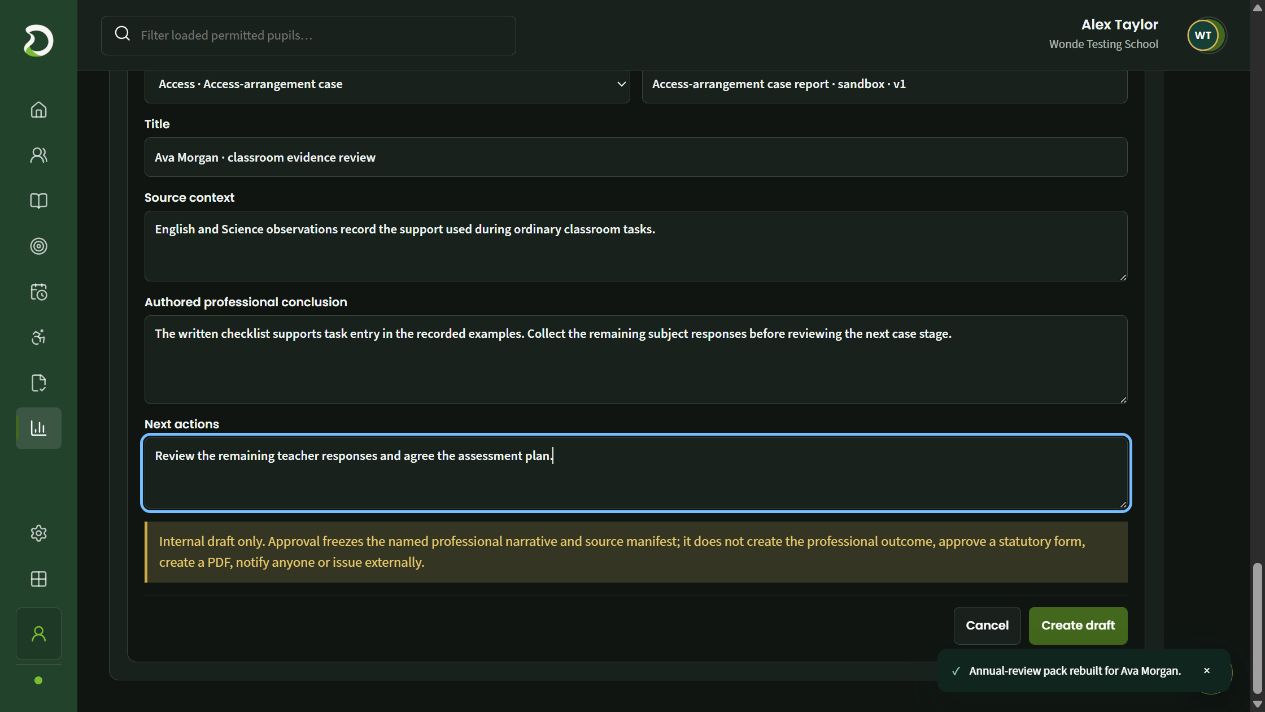
Describe the observations used by this report.
Write the interpretation alongside the recorded sources.
Keep proposed follow-up distinct from the source evidence.
Retain the report draft. Ava’s access report has a named draft version. Approval and external issue remain later steps.
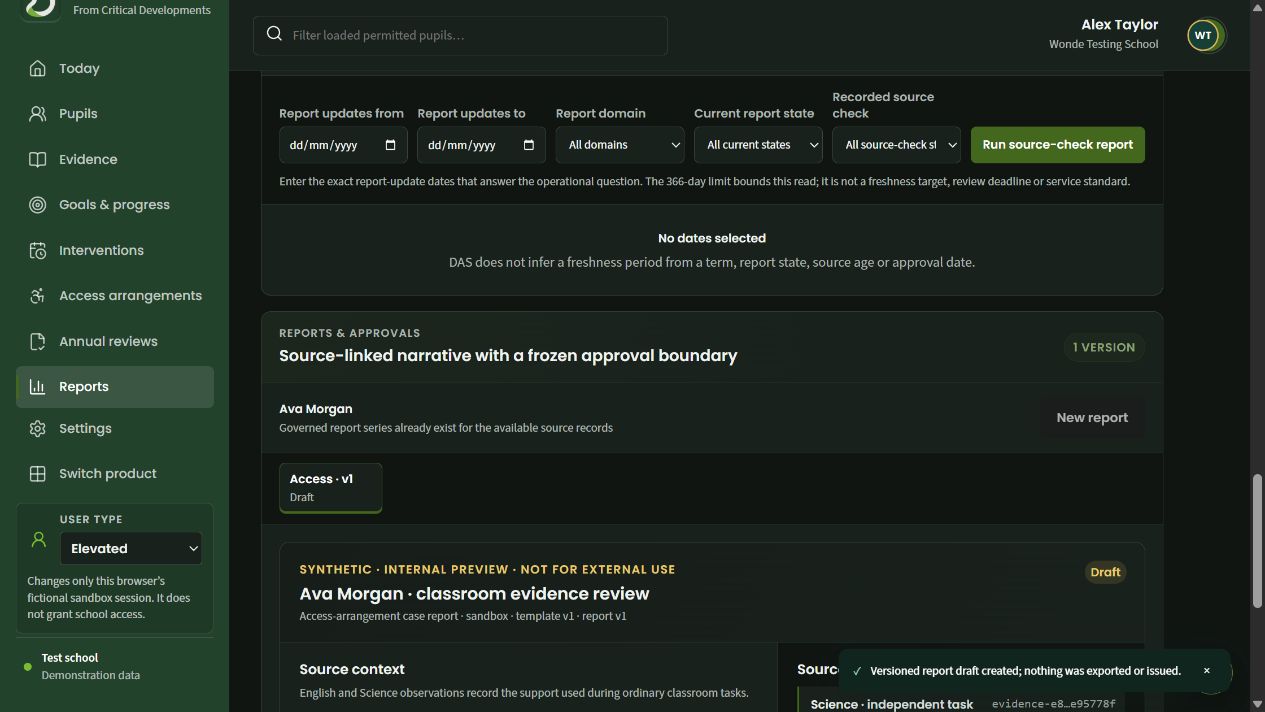
The report series stays attached to Ava’s casework.
The report has an identifiable version and draft state.
A saved draft can be developed before professional approval or issue.
Features in this workflow
- Operational counts
- Explicit denominators
- Source context
- Professional narrative
- Next actions
- Retained draft versions
09 · Set up staff access
Match staff permissions to their responsibilities.
Start with a school-owned staff-group template and review the exact work its members should be able to do.
Choose a staff-group starting point. Separate templates cover classroom, annual-review and access-arrangement responsibilities.
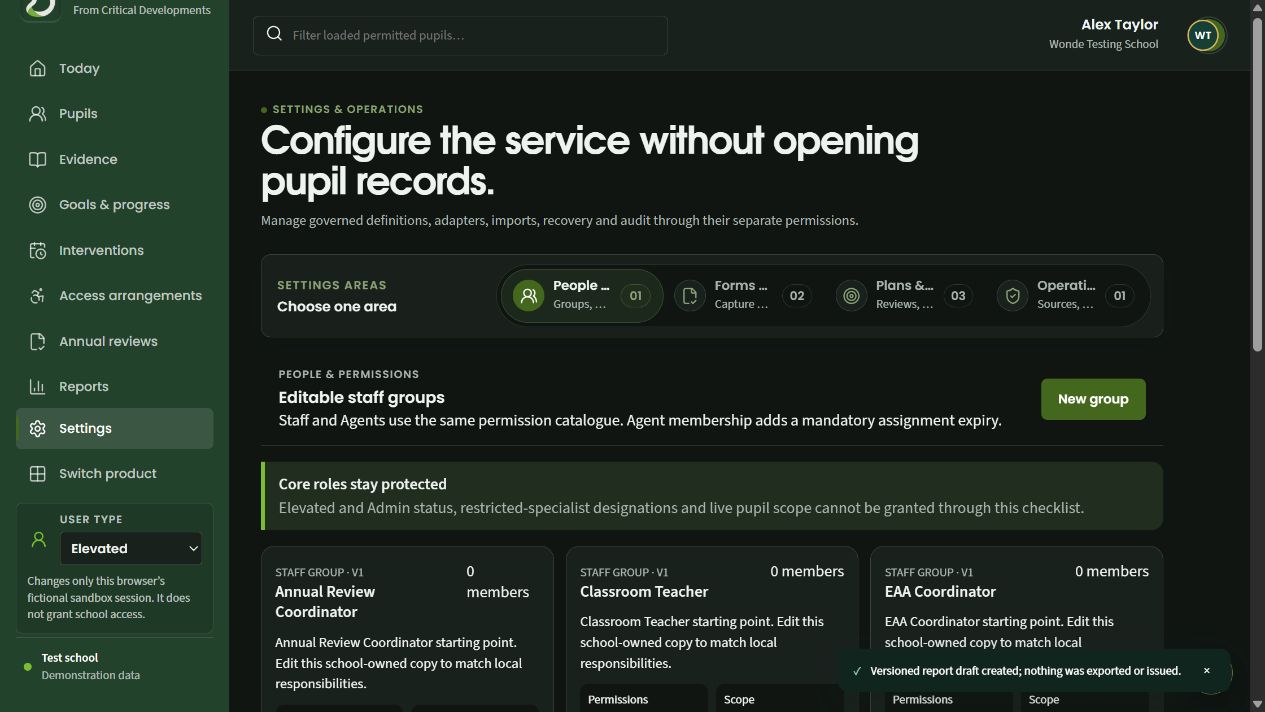
Create a staff group for the responsibilities in your school.
A group checklist does not grant core roles or unrestricted pupil scope.
Templates provide a starting set of responsibilities to review.
Review the permission checklist. Individual permissions distinguish pupil access, evidence work and progress responsibilities.
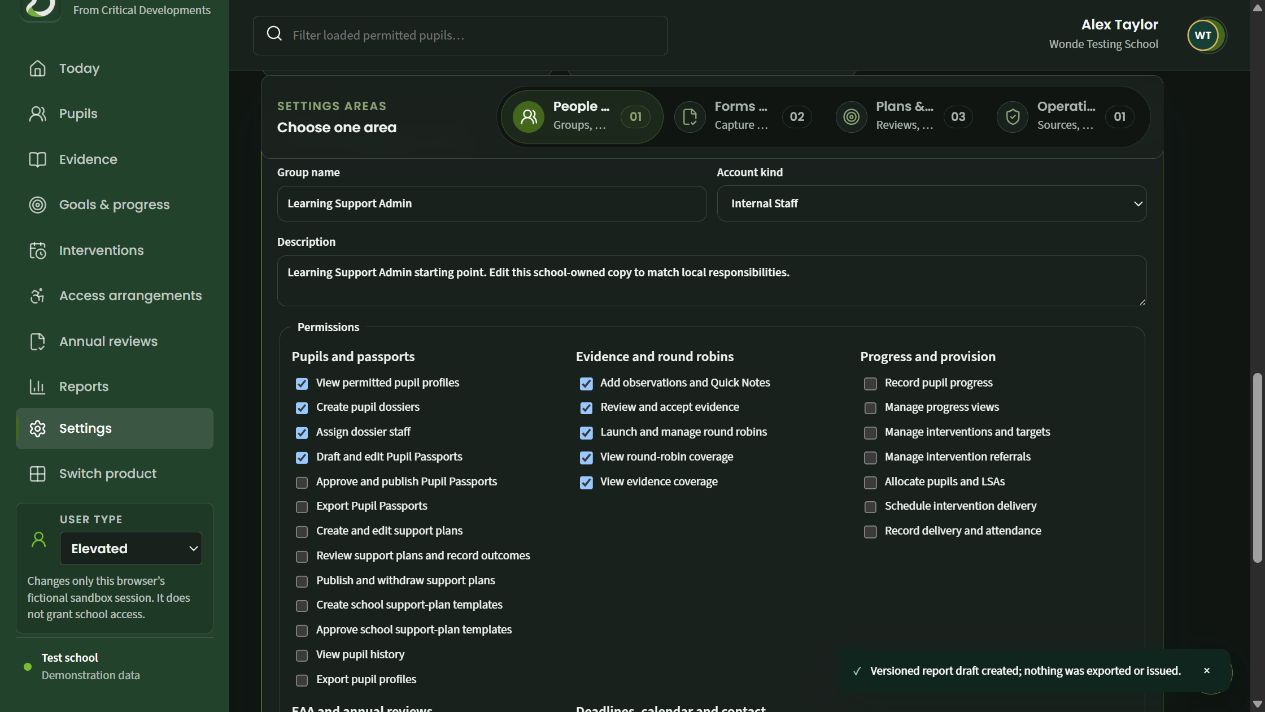
Internal staff and external colleague assignments are identified separately.
Choose individual pupil and support-plan responsibilities.
Review, capture and round-robin permissions can be assigned precisely.
Features in this workflow
- School-owned staff groups
- Editable templates
- Precise permissions
- Staff and external colleagues
- Protected core roles
- Professional scope