
SitRep · In action
From classroom layout to lesson review.
SitRep moves from planning to teaching to review without losing the teacher's judgement—or putting private pupil context on the classroom display.
Real product screenshots · demonstration school records. Choose a workflow, move through its screens and explore the gold spots.
01 · Build the classroom
Set up the room around the teaching.
Choose an existing room or starting arrangement, then adjust the desks and seats in the room designer.
Choose a room or starting layout. Shared rooms and personal arrangements provide useful starting points.
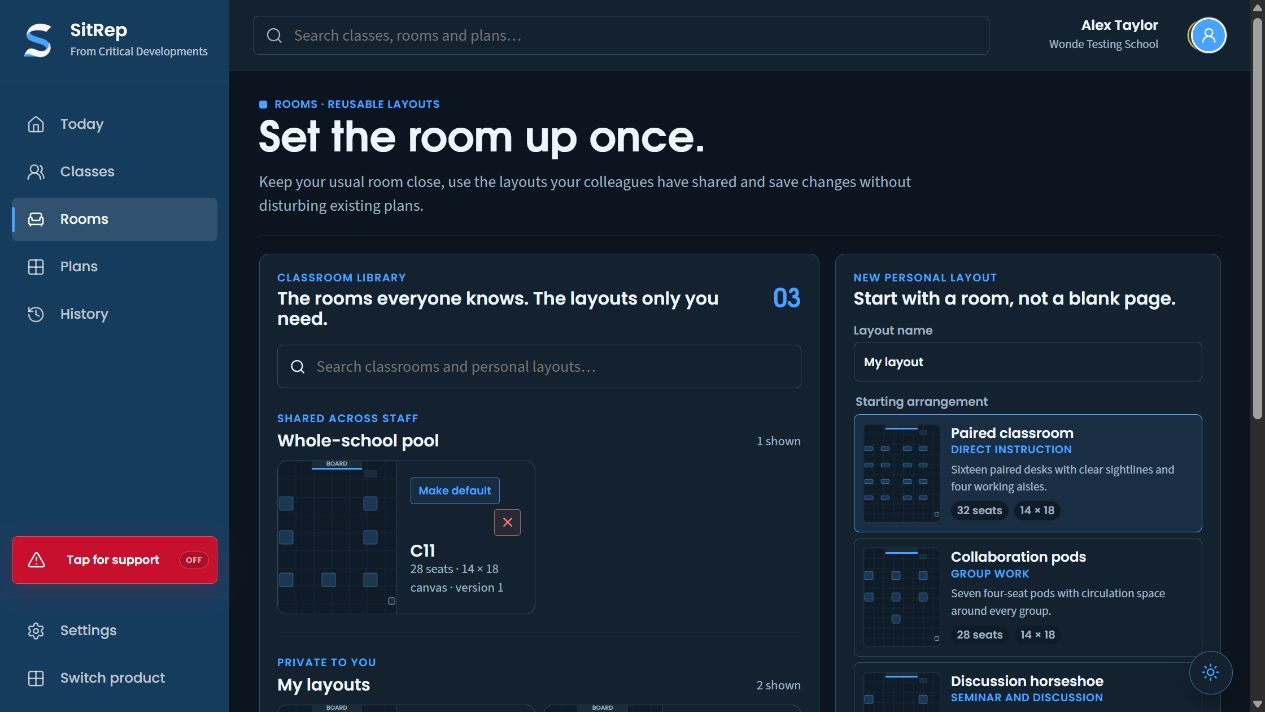
Search the available classroom and personal layouts.
Open a known layout with its capacity and version.
Choose paired seating, pods or another available arrangement.
Adjust the room geometry. C14’s saved room version shows desk positions, seat counts and precise movement controls.
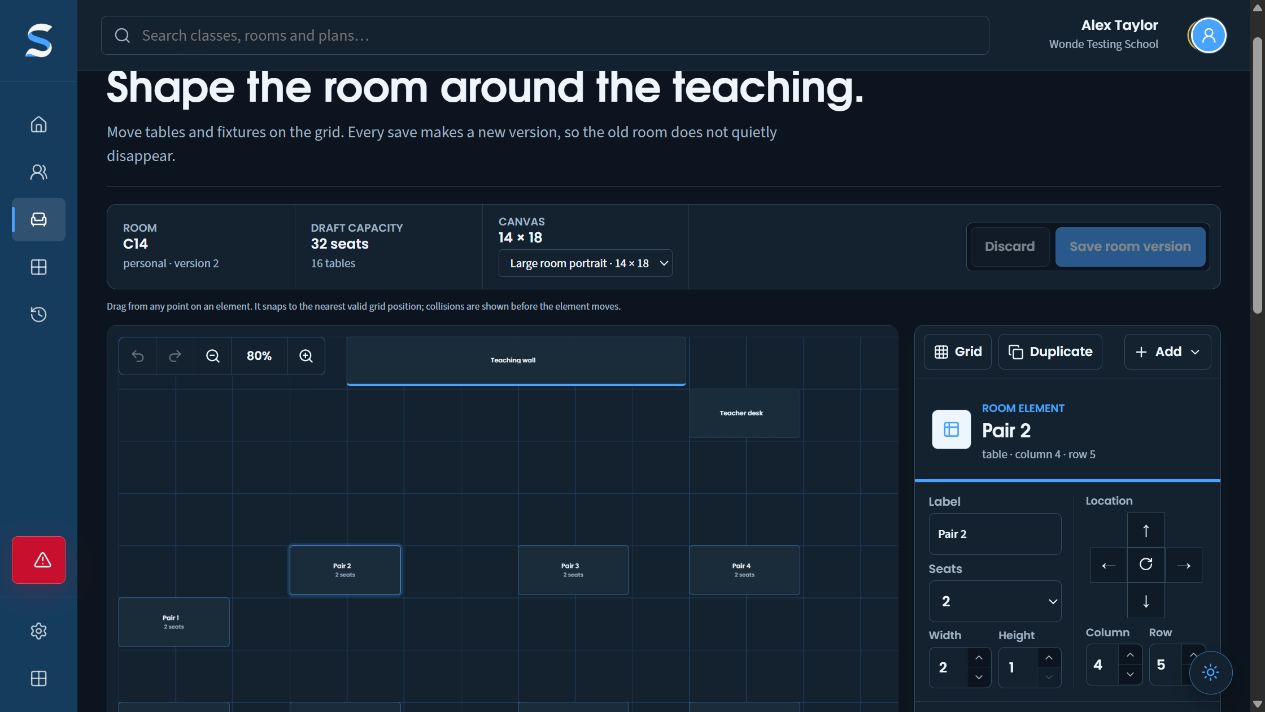
Room capacity, desks and canvas size stay together.
Arrange desks on the room grid.
Seat count and directional controls complement direct placement.
Features in this workflow
- Room library
- Personal layouts
- Starting arrangements
- Desk geometry
- Seat counts
- Saved room versions
02 · Arrange the class
Review the arrangement before keeping it.
Start from the class and room, then inspect a proposed distribution with the teacher retaining the final choice.
Open the class plan. The active plan keeps the room and class context visible.
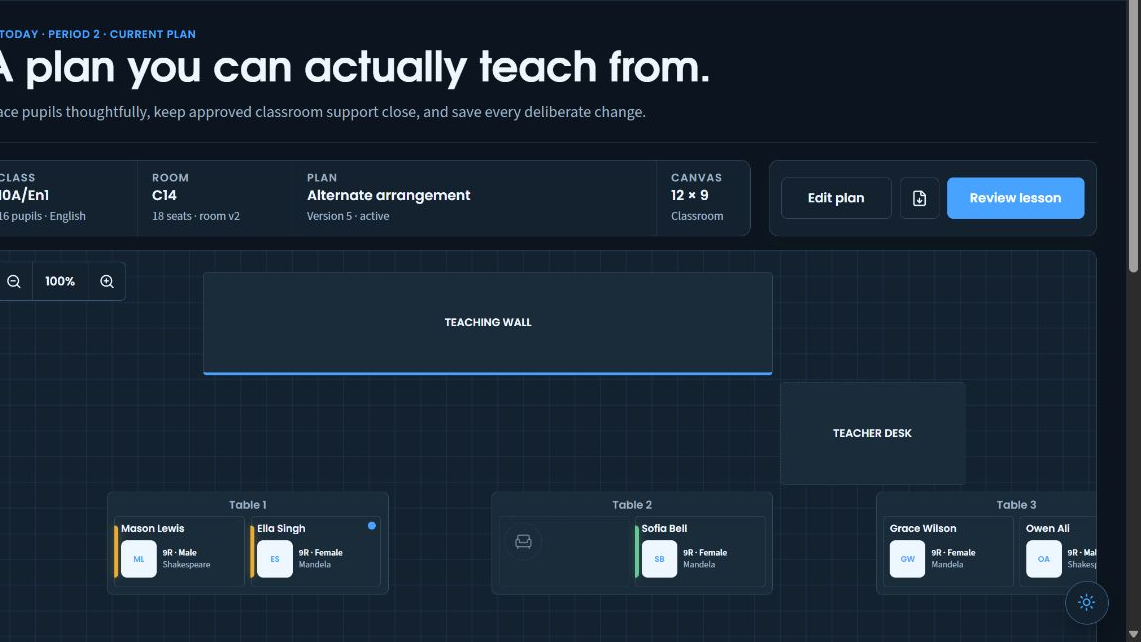
The class, room and plan remain visible above the seats.
Work from the actual room arrangement during the lesson.
Move from the plan to the lesson review when you are ready.
Review the proposed arrangement. Inspect the draft distribution before deciding whether to keep it.
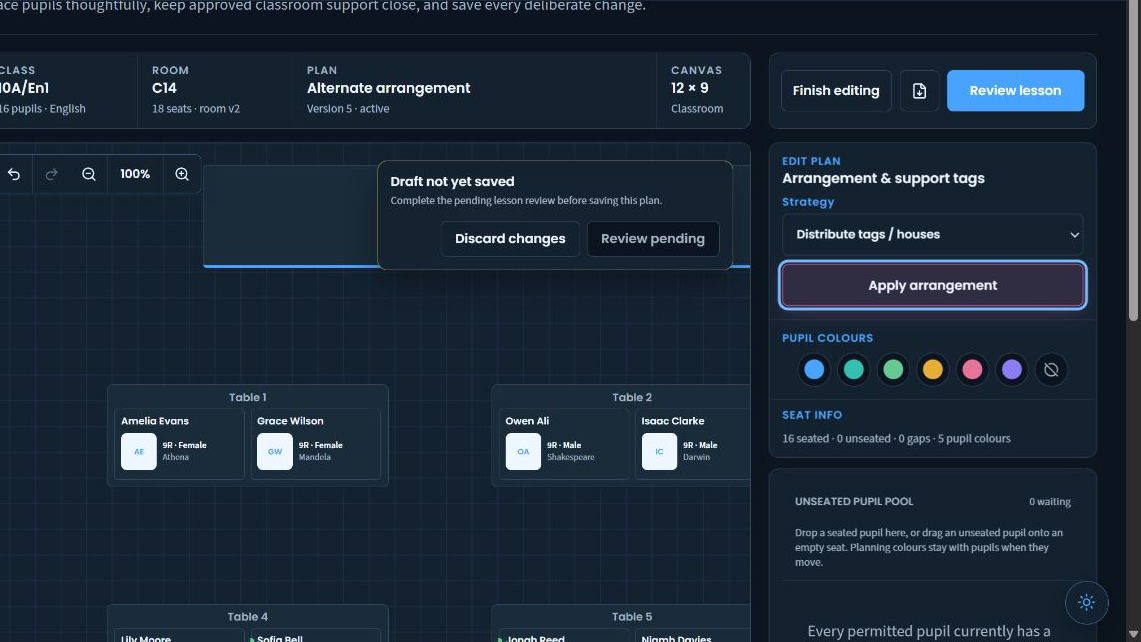
Review or discard the draft before changing the saved plan.
Choose and apply an arrangement deliberately.
Choose a visible planning overlay while reviewing the arrangement.
Features in this workflow
- Class and room
- Seat positions
- Locks
- Tag and House distribution
- Draft review
- Teacher override
03 · Teach with privacy
Read private support, then return to a classroom display.
Consult the permitted pupil context when needed and use the names-only display in front of the class.
Read private pupil support. Approved instructions and practical classroom strategies stay in the private pupil view.
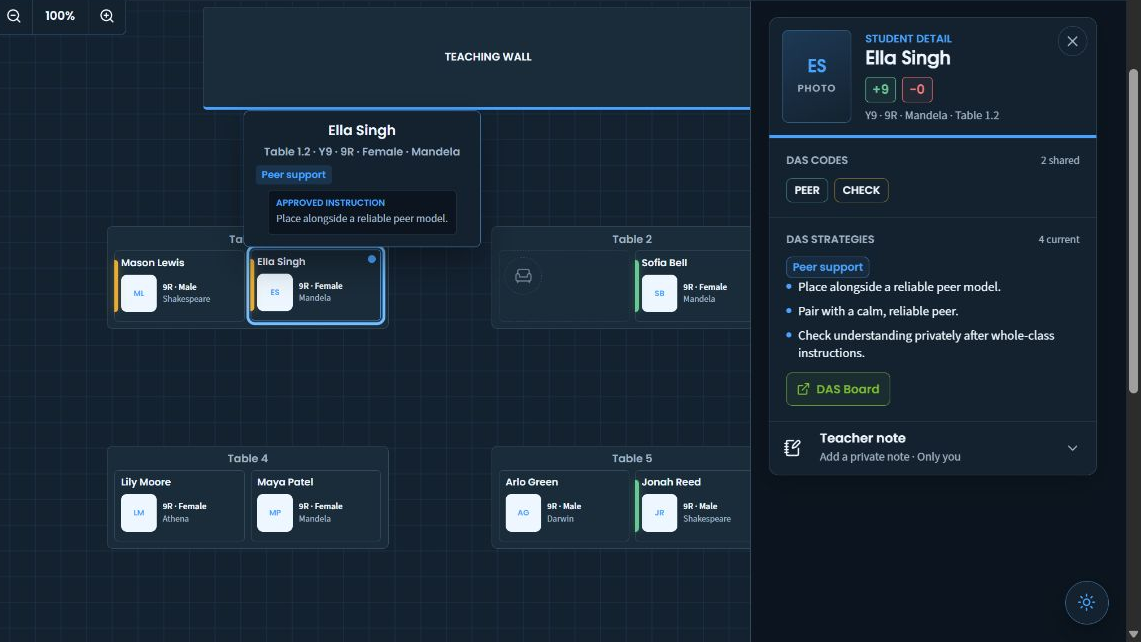
Open the selected pupil beside the room plan.
Read permitted support instructions where you are teaching.
The selected pupil’s instruction stays close to their seat.
Show names-only seating. The classroom display uses pupil names and initials without the private strategy panel.
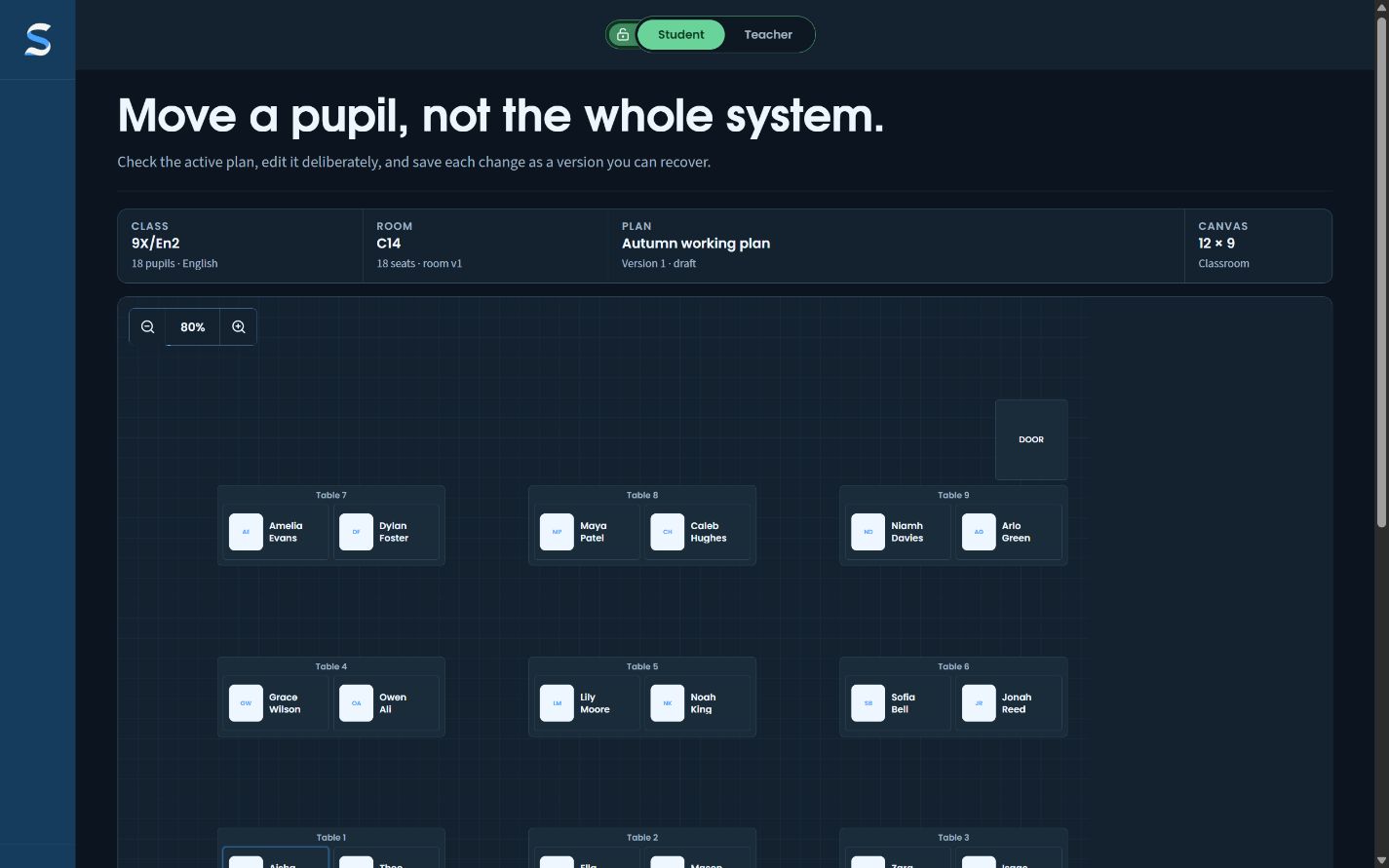
Pupils can find their seats from the classroom display.
Private support strategies are absent from these tiles.
The seating positions remain visible when the private context is hidden.
Features in this workflow
- Private pupil context
- Approved instructions
- Classroom strategies
- Student display mode
- Names-only tiles
04 · Record and review a lesson
Capture the event, then check the account.
Use a pupil’s quick action on the live plan and review the resulting draft before approving the lesson summary.
Capture a quick lesson event. Six actions remain attached to the selected pupil.
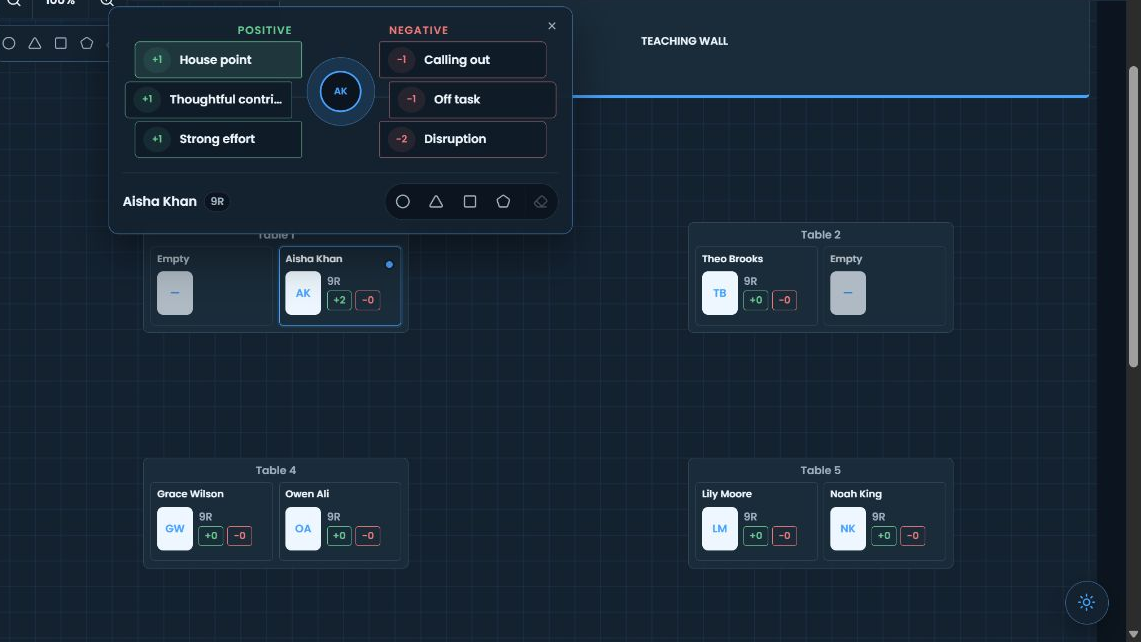
Capture an event without leaving the room view.
Keep quick actions attached to the pupil on the plan.
Check the named pupil before choosing a quick action.
Review the draft summary. Check the draft account and make corrections before approval.
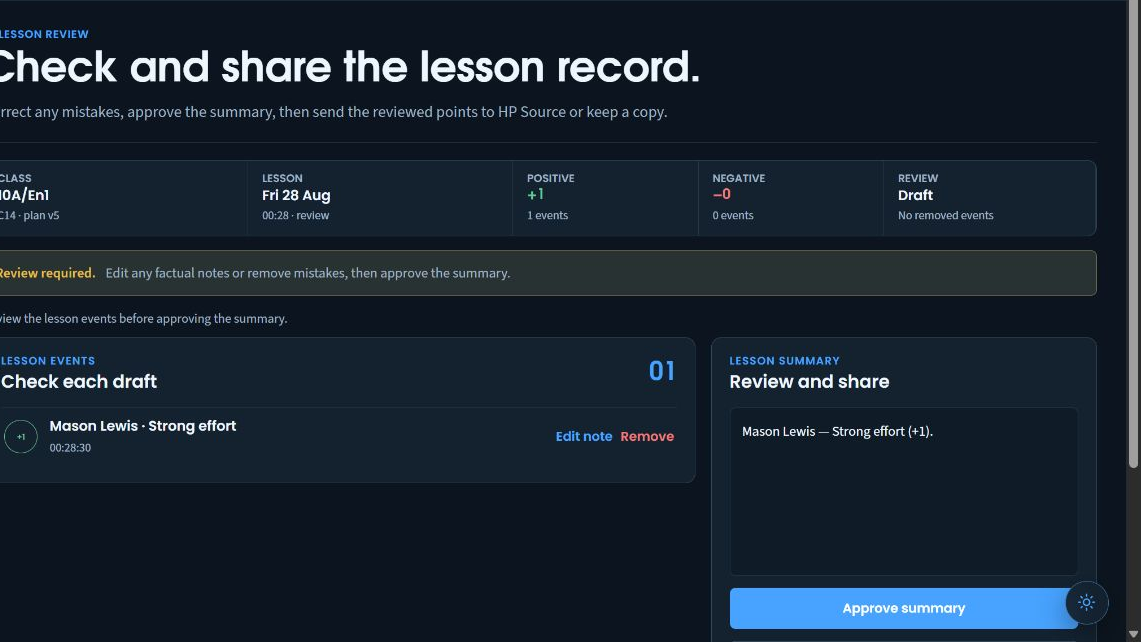
Correct the account before it becomes part of the lesson summary.
The teacher makes the final review decision.
Keep the class, date and period attached to the review.
Features in this workflow
- Pupil-specific actions
- Plan stays visible
- Draft events
- Editable summary
- Explicit teacher approval
05 · Reuse and adapt a plan
Try an alternative while keeping the original.
Choose a saved class plan, create a named alternative and decide when the new draft should become active.
Choose the starting plan. The source plan keeps its room and plan versions while you name an alternative.
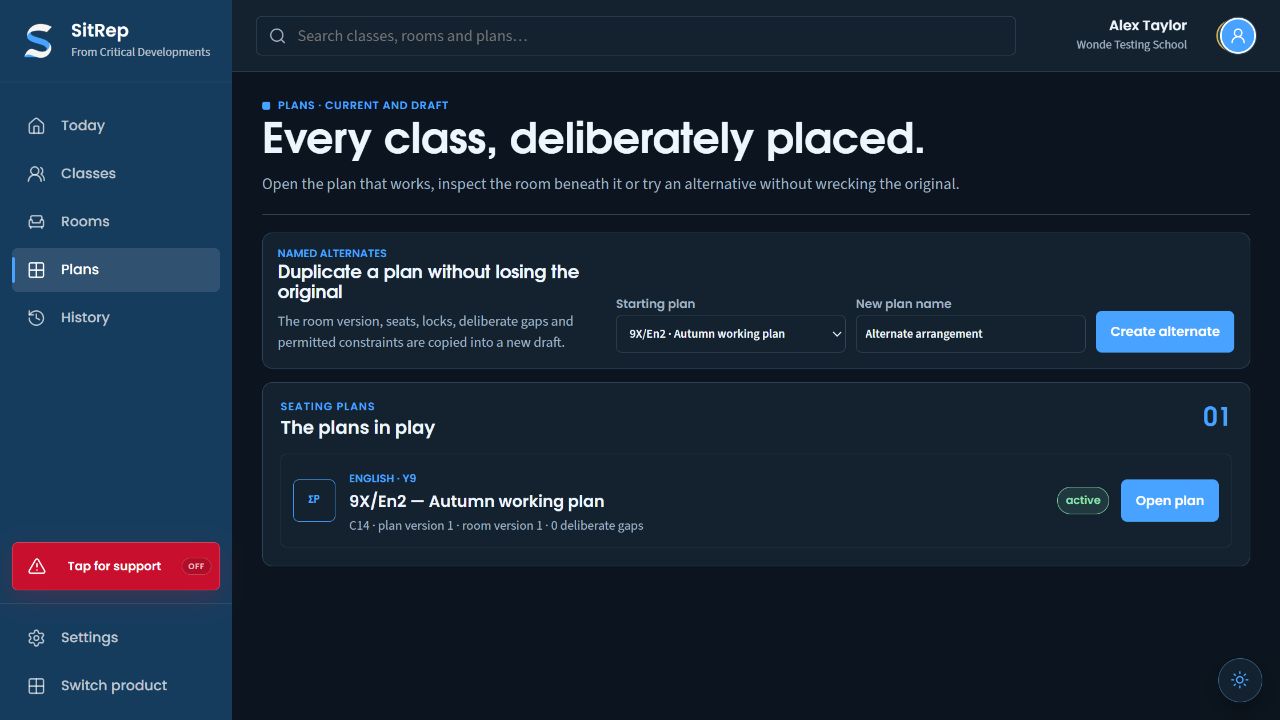
Select the existing plan whose layout and constraints should carry over.
Give the new draft a purpose staff can recognise.
The active plan keeps its room and plan versions.
Keep both versions available. The paired-reading alternative is saved as a draft beside the original active plan.
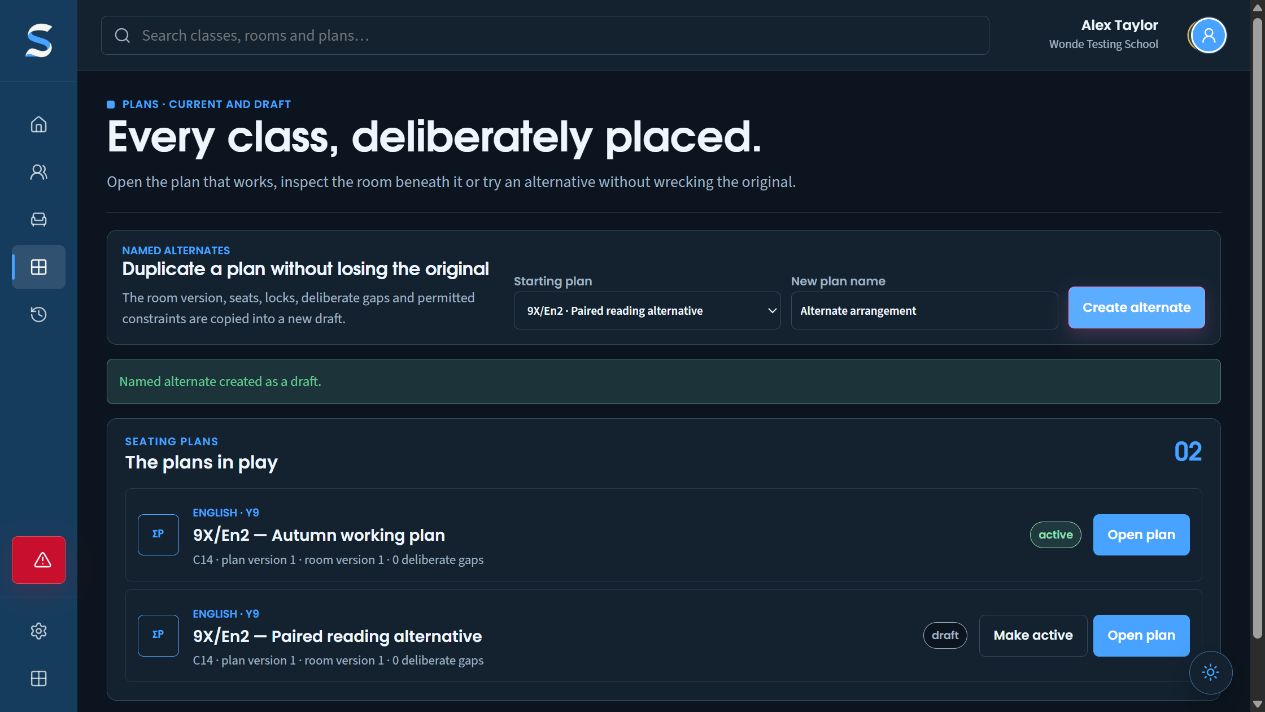
Creating an alternative leaves the existing active plan available.
The paired-reading alternative is saved separately.
A teacher chooses when the alternative becomes the active plan.
Features in this workflow
- Saved plans
- Named alternatives
- Preserved original
- Copied locks and constraints
- Draft state
- Deliberate activation